Guidelines
PR Submission Guidelines
1 Creating Issues
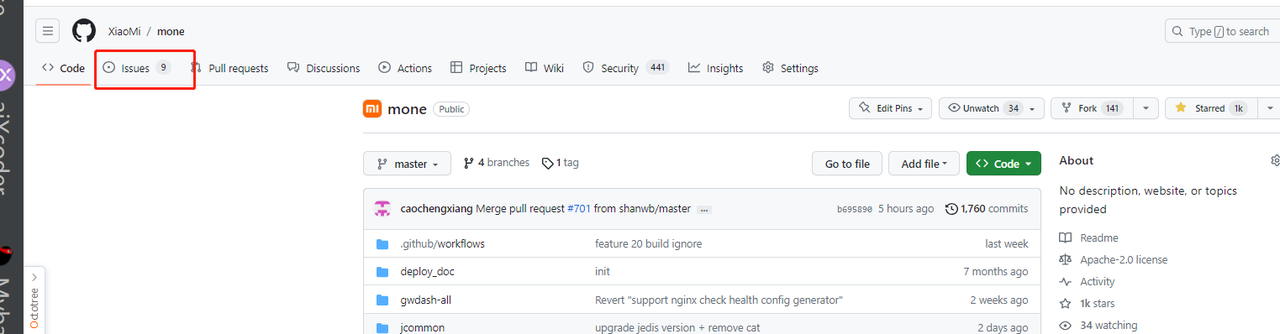
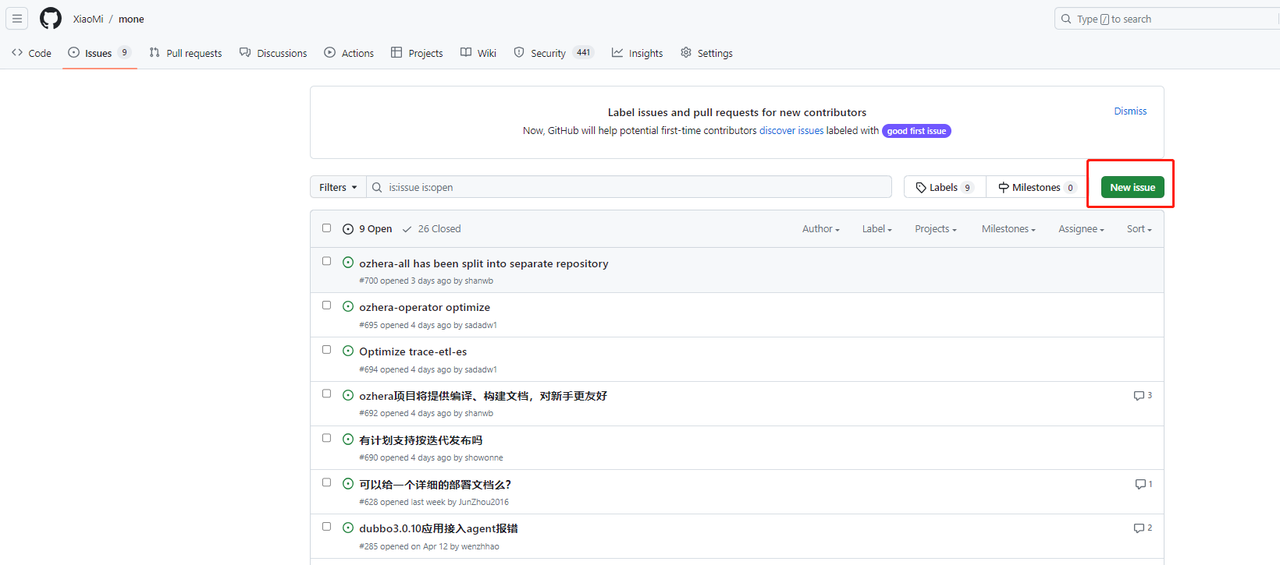
(1) Go to the main page of Issues
(2) Click the green "New issue" button to create a new issue
 You will be directed to the following page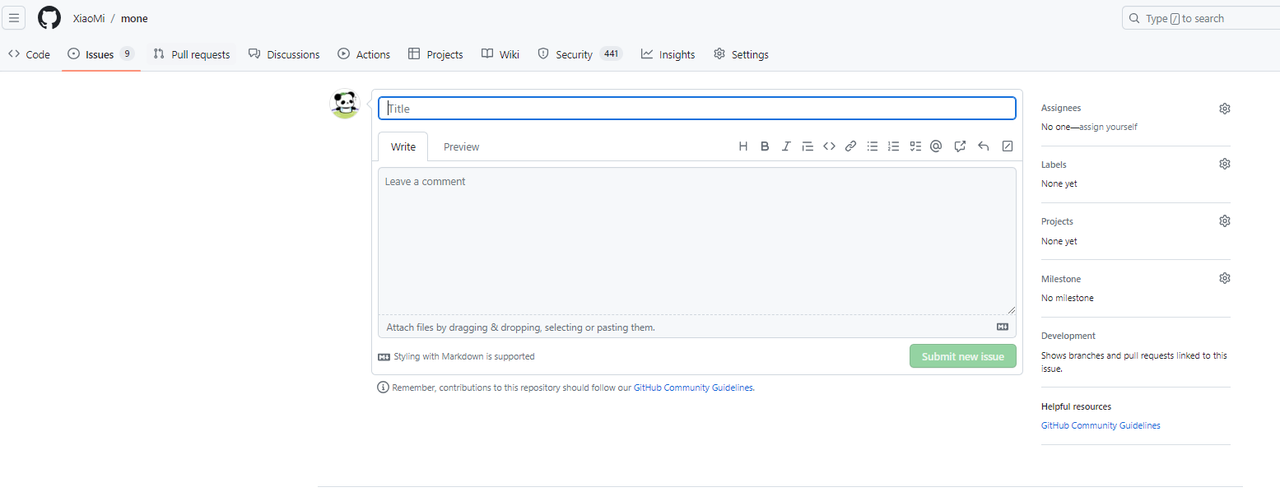
(3) Assign the issue to someone (optional)
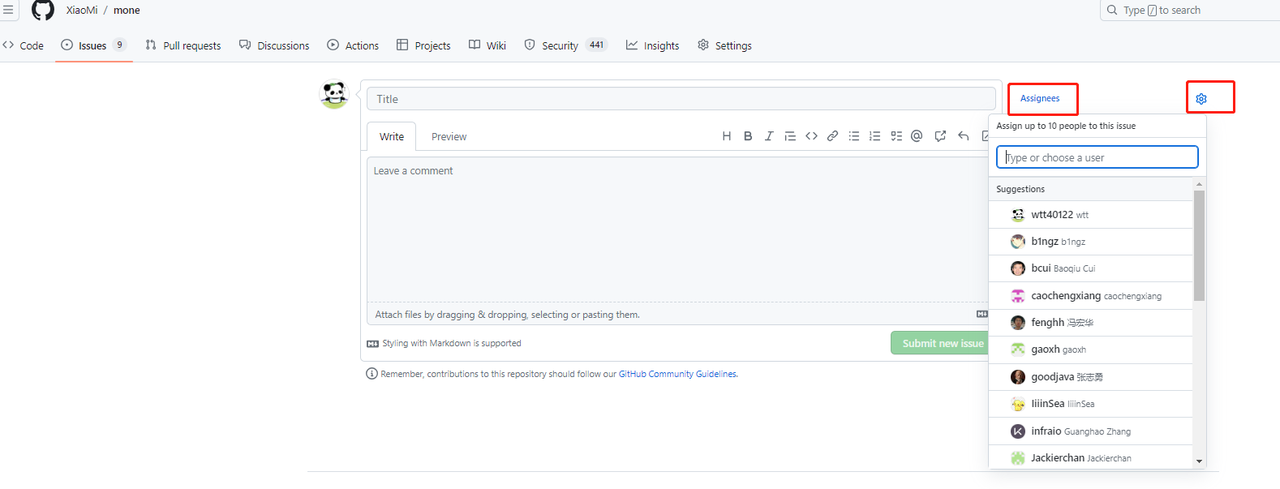
(4) Set labels (indicating the type of issue)
There are a total of 9 labels to choose from, but usually only one is selected. If it is a bug, select the "bug" label.
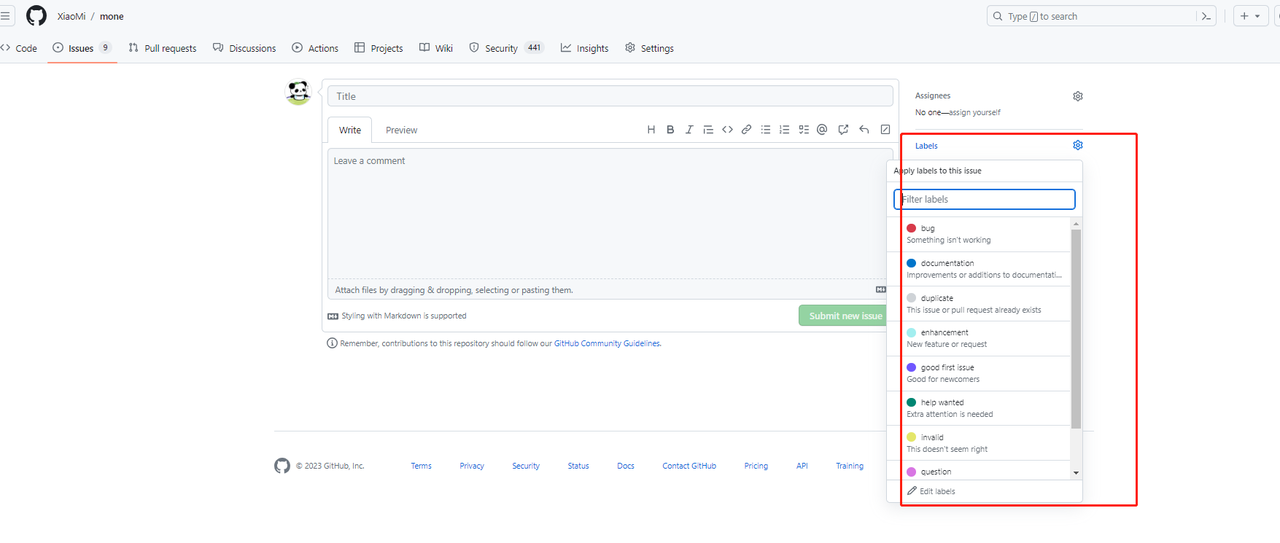
(5) After selecting the labels, write the title
The title must follow the format [label] description. For example, if the label is "bug", the title should be: [bug] Issue with getting verification code Note: There should be a space after the closing bracket []
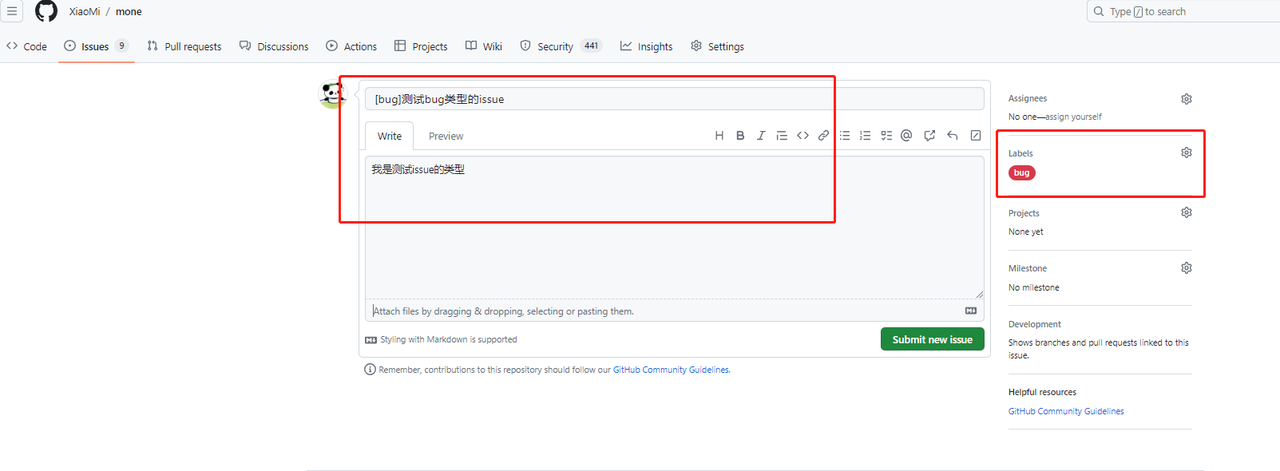
(6) Write the content
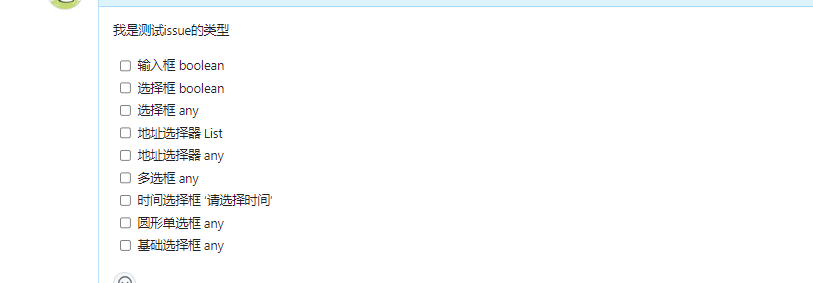
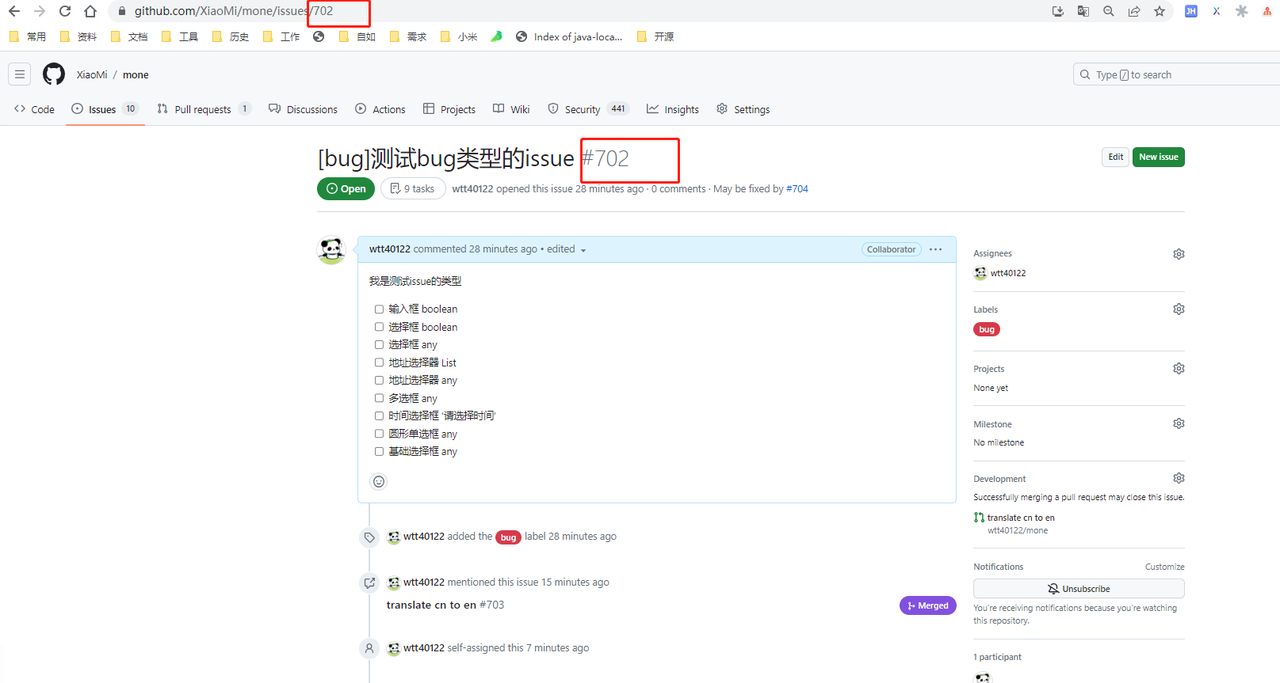
Expand on the title and explain the problem clearly. You can use text and/or images (copy the images directly). If there are multiple requirements mixed together, use multiple checkboxes as follows: (optional)
2.Creating PR
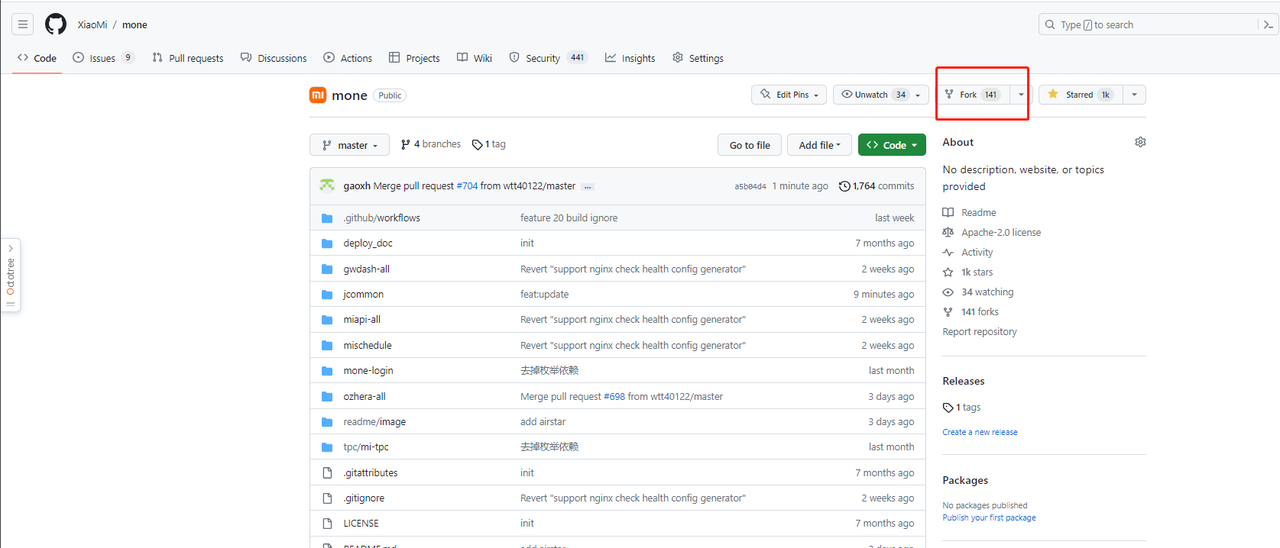
(1).Fork the open-source project to your own remote repository
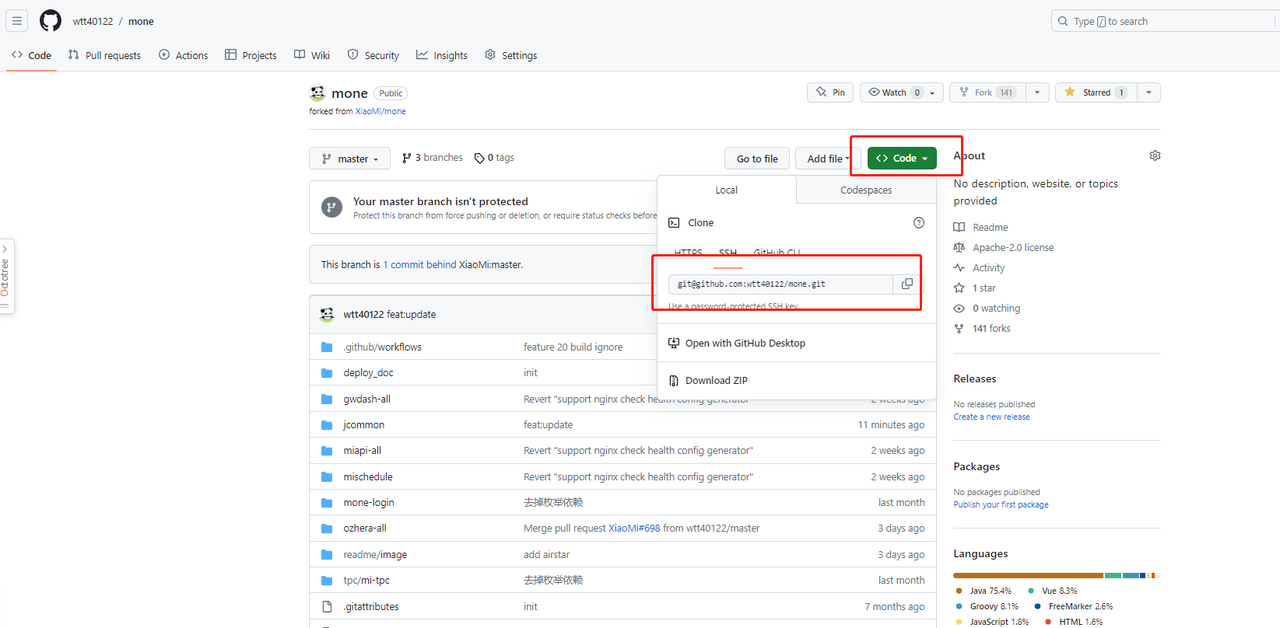
(2).Clone the project from your own repository to your local machine
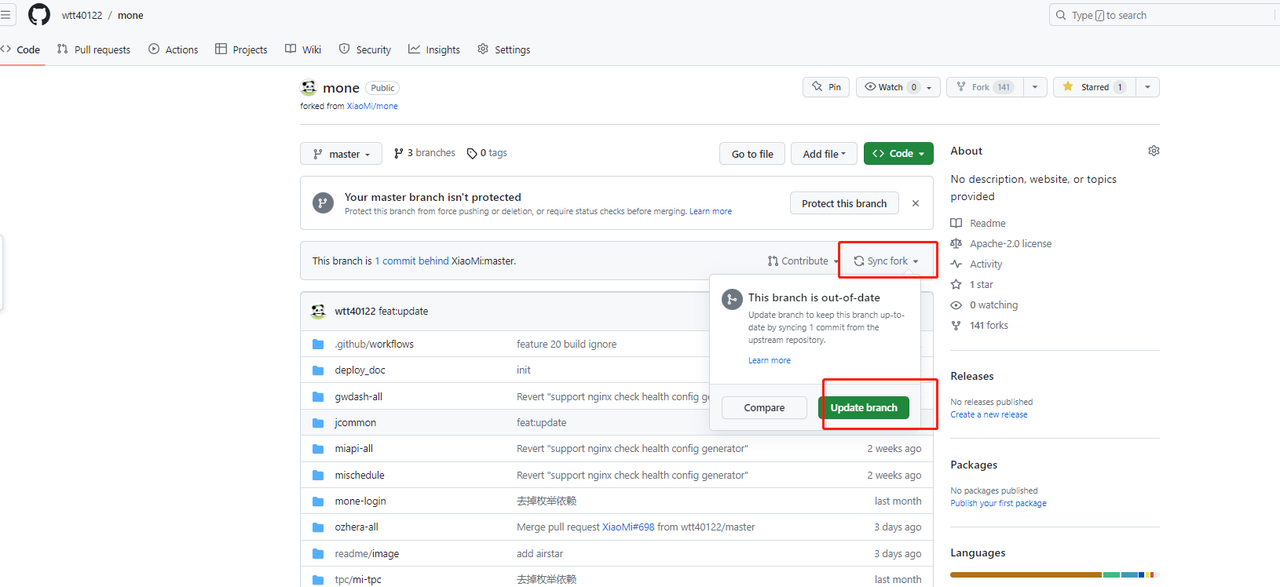
(3).Remember to regularly sync the remote code to your local repository
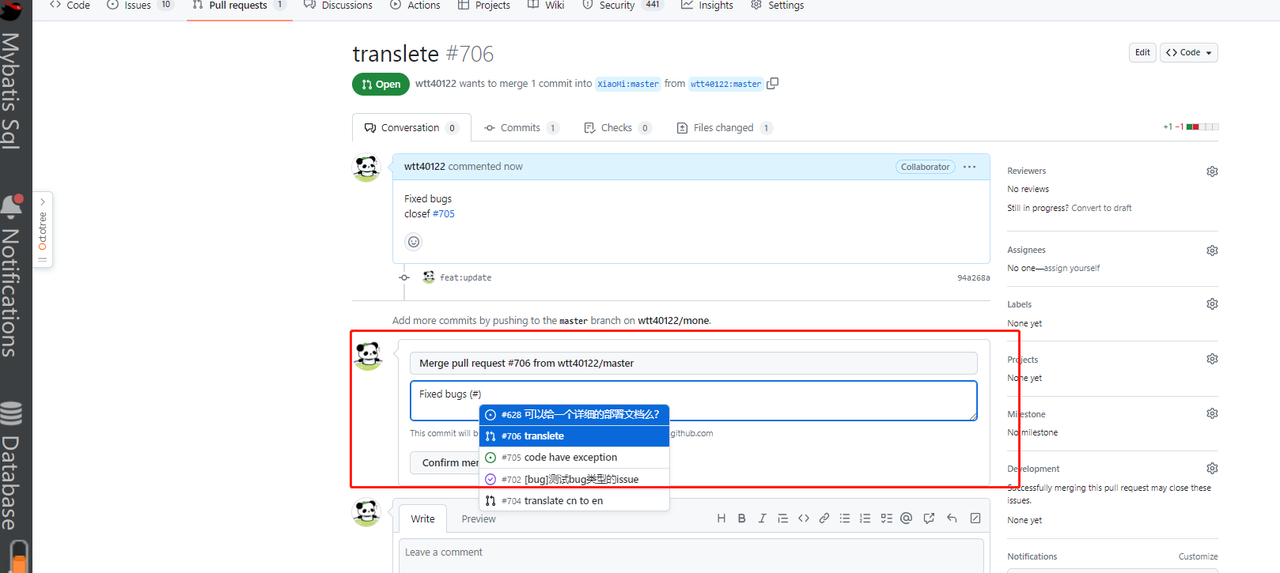
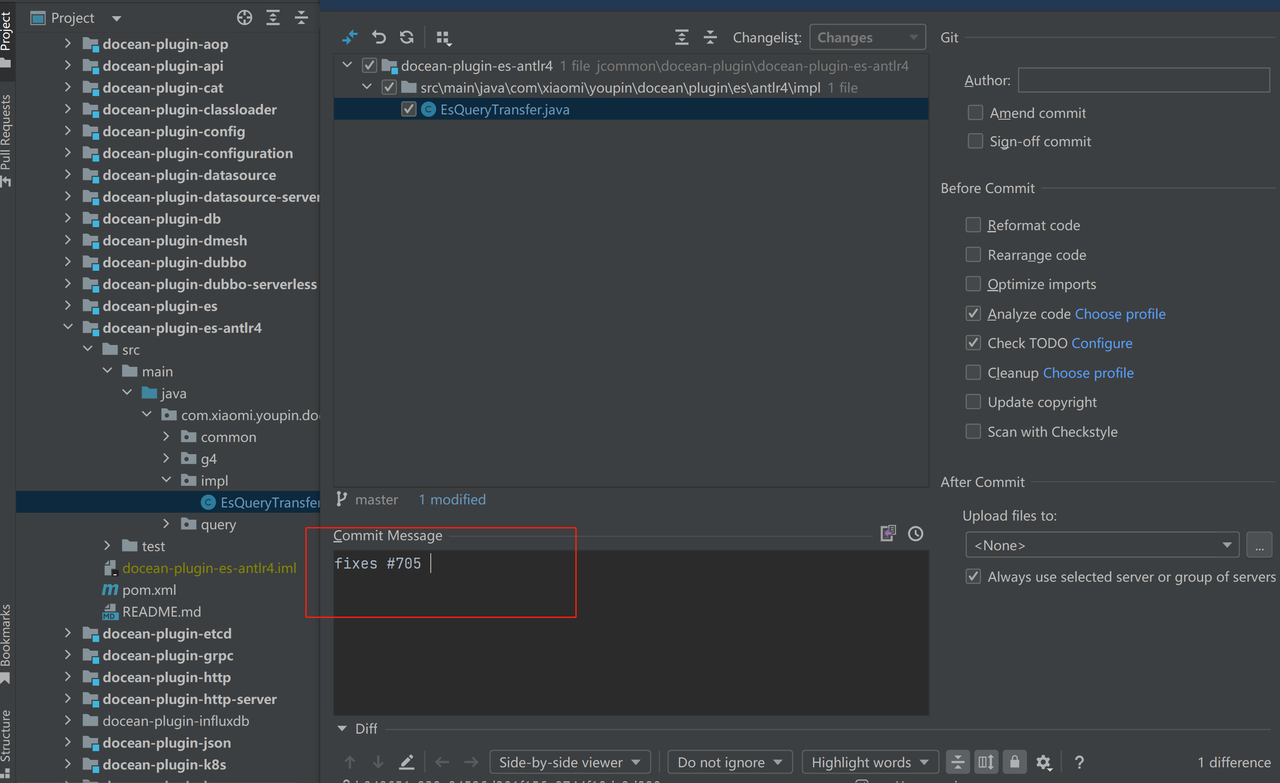
(4).Add (#issueId) to the commit message of your code
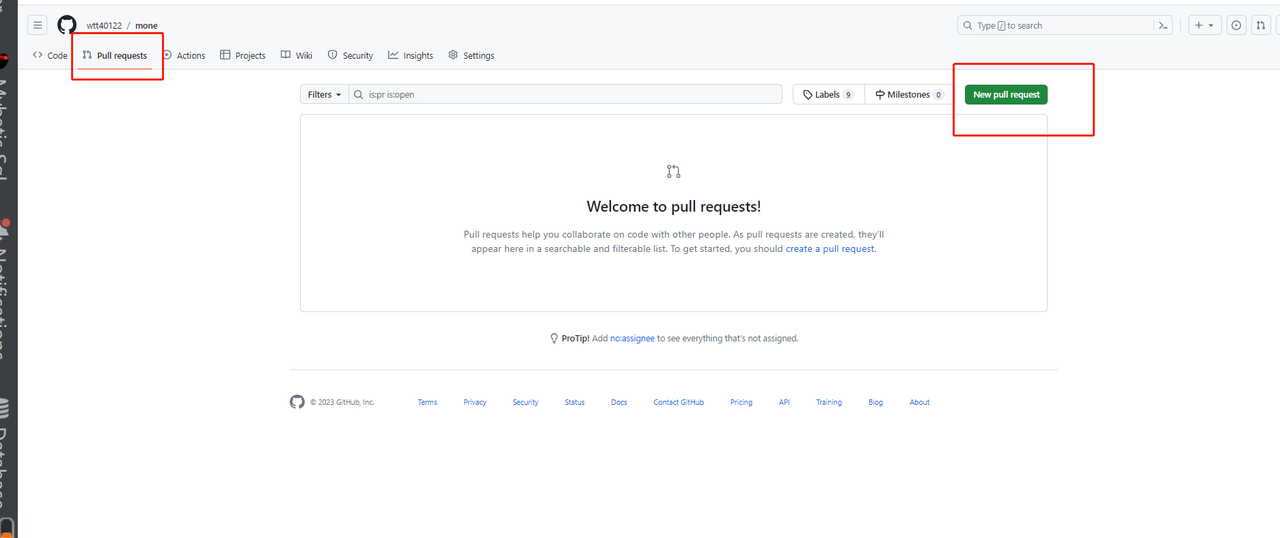
(5).Commit the local code changes to the remote repository, then click "pull request" to create a PR
(6).Create the correct PR
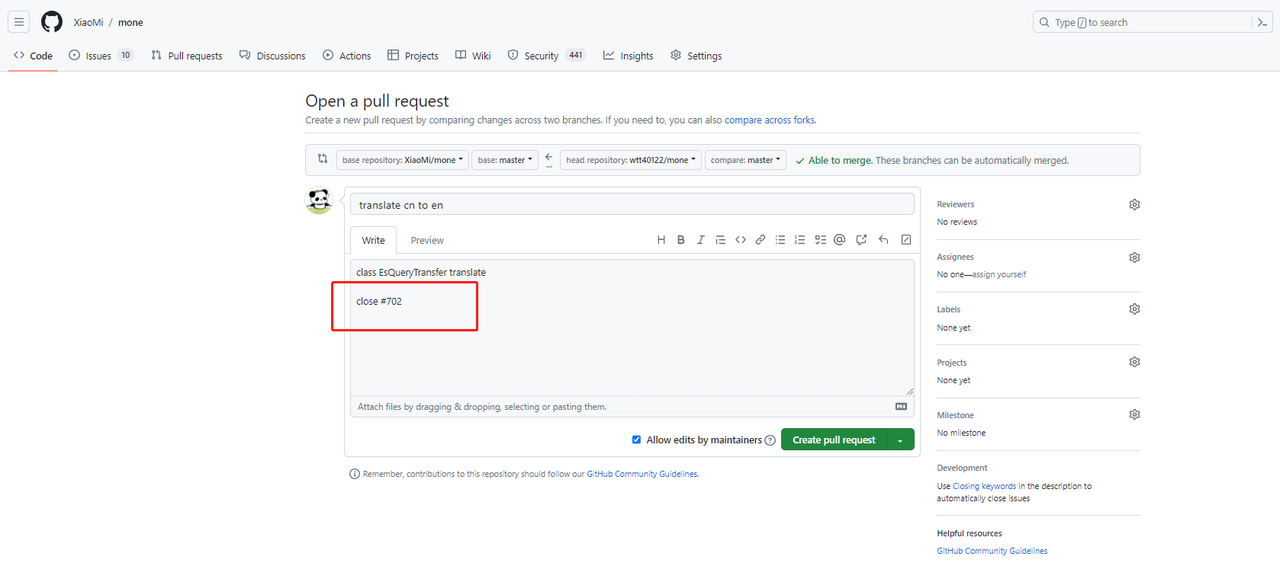
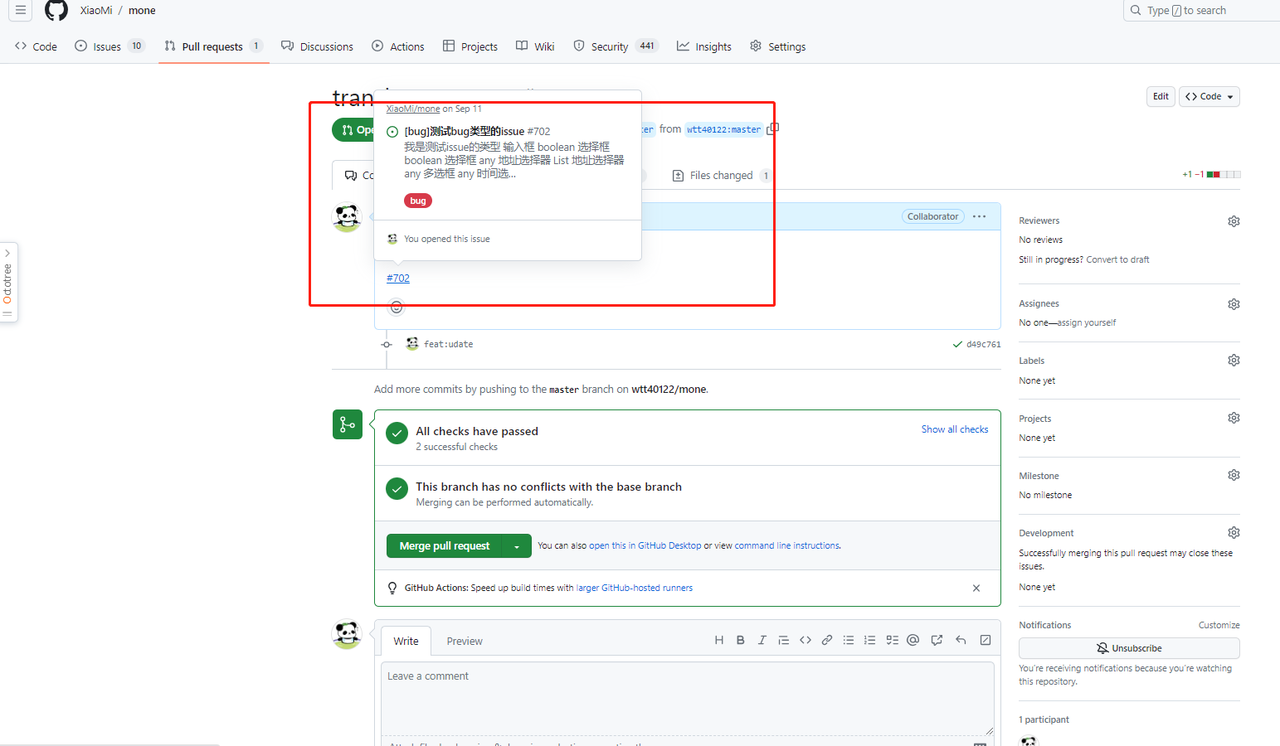
In the content of the PR request, write #702 or close #702. This way, when your PR is merged, the corresponding issue will be marked as closed. #702 is the issue number, which can be found in the URL after creating the issue, like
3.Closing Issues
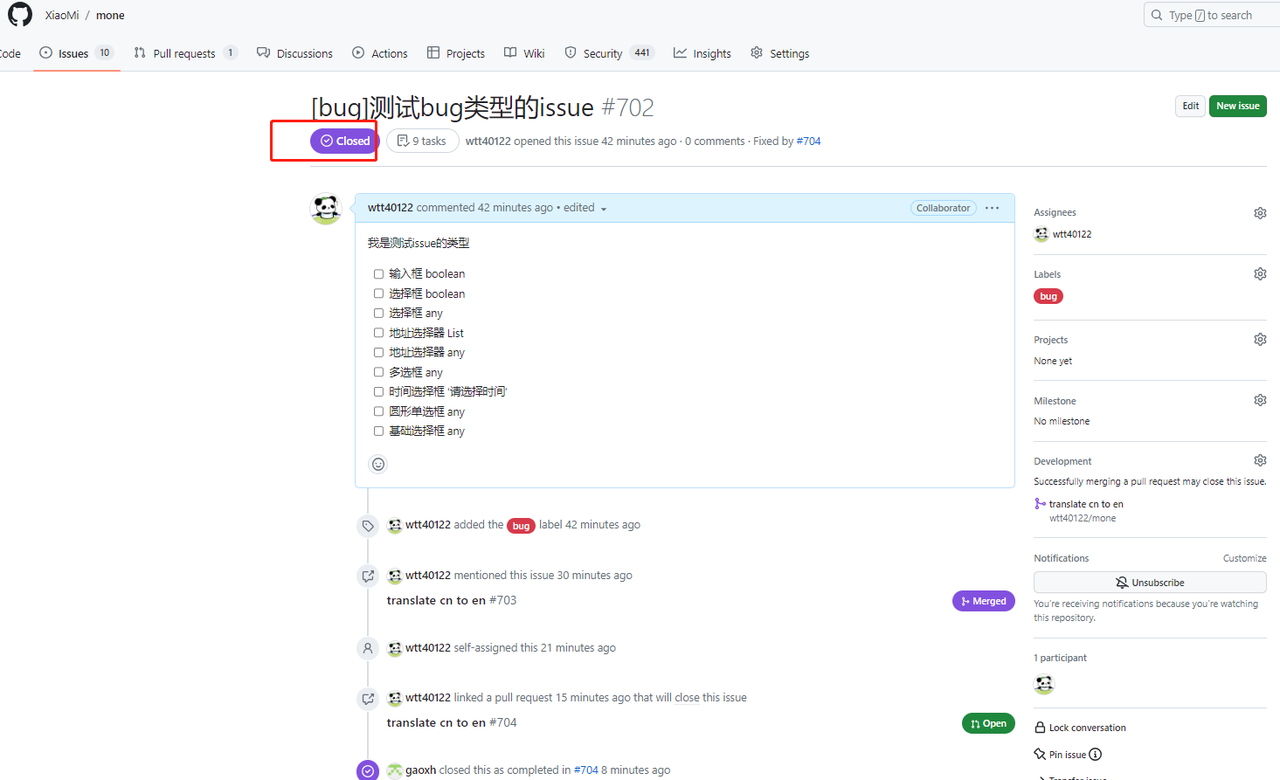
When your PR is merged, if the PR content includes close #issueId, the corresponding issue will be marked as closed.